
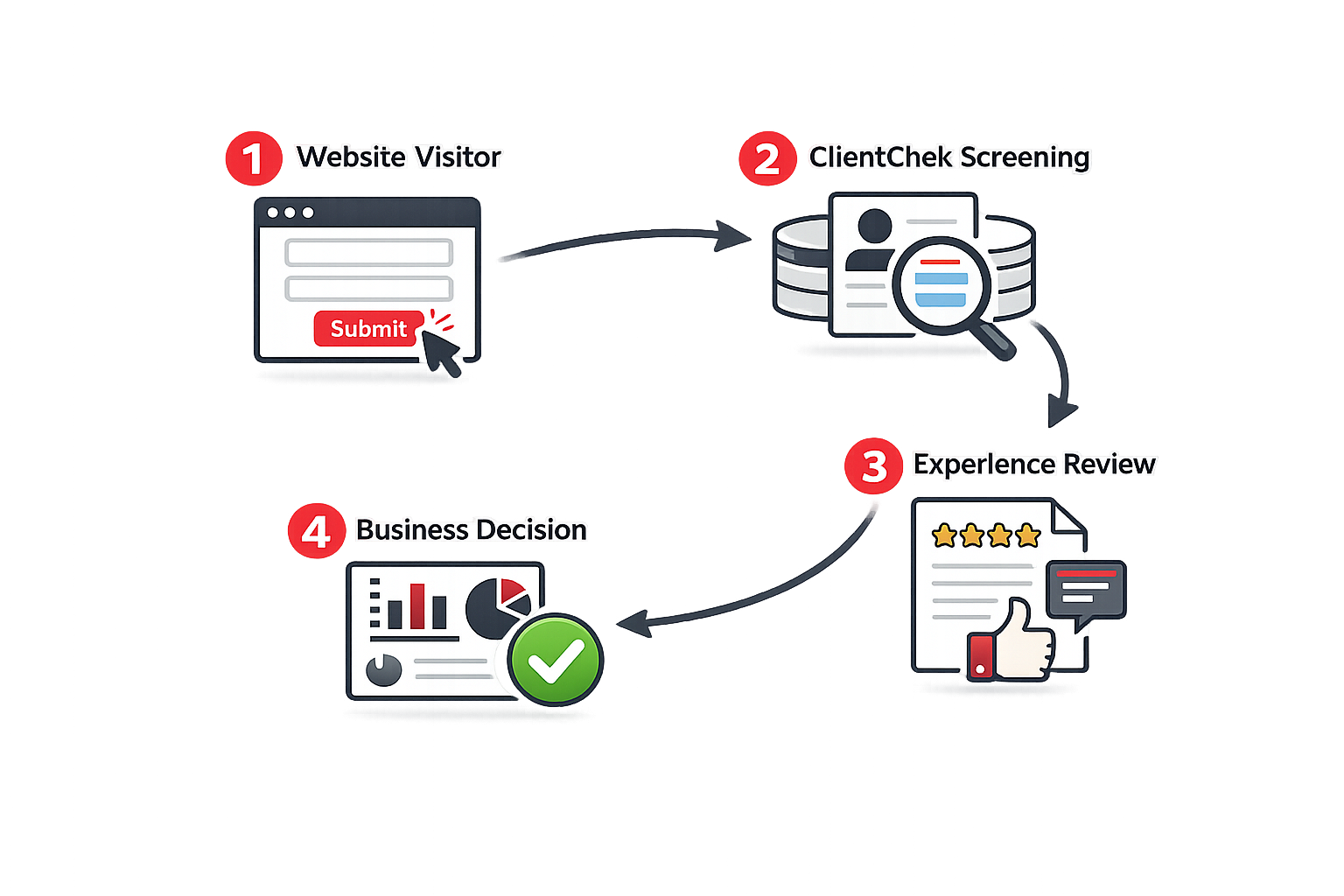
See exactly how your ClientChek lead form will appear on your website. Visitors submit requests directly from your site while ClientChek automatically screens and tracks each lead.
Collect quote requests, appointments, and customer inquiries directly from your website.
Submitted leads are automatically checked against the ClientChek database.
Receive lead details and customer rating information directly in your inbox.
New customers can be added automatically, helping build a stronger database over time.
A visitor completes the form on your website.
ClientChek receives the submission and checks the customer against existing records.
A lead summary and rating report are emailed to your business.
The visitor is redirected back to your website for a seamless customer experience.
Collect estimates and screen new project requests.

Capture appointment requests from local customers.

Review prospective clients before taking on work.

Evaluate potential tenants, owners, and vendors.
Copy the generated code into your website and start receiving screened leads within minutes.
Widget Installation Preview